 Se connecter / Devenir membre


 Allemagne
 Autriche
 Belgique
 Bulgarie
 Chypre
 Croatie
 Danemark
 Espagne
 Estonie
 Finlande
 Grèce
Grèce
 Hongrie
 Irlande
 Italie
 Lettonie
 Lituanie
 Luxembourg
 Malte
Malte
 Pays-Bas
 Pologne
 Portugal
 Roumanie
 Slovaquie
 Slovénie
 Suède
Suède
 Tchéquie


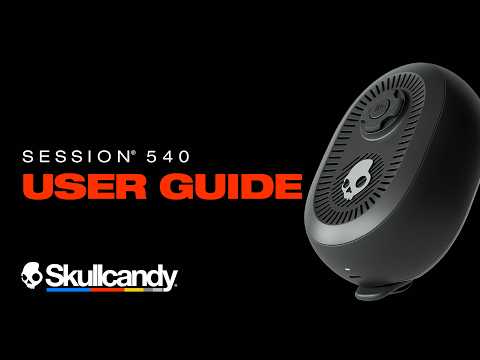
User Guide, Features & FAQs
|
Model |
SESSION 540 |
|
Type |
Portable Bluetooth Speaker |
|
Battery Life |
Up to 17 hours |
|
Rapid Charge |
10 min charge = 2+ hours playtime |
|
Bluetooth |
V5.3 |
|
Durability |
IP67 — Waterproof, Dustproof & Shockproof |
|
App Support |
Skullcandy App — iOS & Android |
|
Charging Port |
USB-C |
|
Warranty |
1 Year Limited |
1. INITIAL SET UP & PAIRING
1.1 Powering On Your Speaker
-
Press and hold the Power Button for one second (1s press) to power on your SESSION 540.
-
You will hear a voice prompt and the LED next to the charge port will illuminate to confirm the speaker is on.
1.2 Quick Start Pairing
-
Your SESSION 540 will automatically enter pairing mode the first time it's powered on with an empty paired device list.
-
A voice prompt will say “Pairing” and the LED will pulse blue to indicate pairing mode.
-
Open the Bluetooth settings on your device, then find and select “SESSION 540” from your list of available devices.
-
With Google Fast Pair, compatible Android devices will automatically display a pairing screen — simply press Connect.
-
You will hear a voice prompt and the LED will flash blue three times to confirm a successful Bluetooth connection.
Note: To manually enter pairing mode any time your speaker is already connected, press the Power Button once (1x press).
1.3 Multipoint Pairing — Connecting to a Second Device
-
Multipoint Pairing lets you stay connected to two Bluetooth devices at once — for example, your phone and laptop — so you can seamlessly switch between them without manually disconnecting.
-
With your speaker powered on and already connected to a first device, press the Power Button once (1x press) to enter pairing mode.
-
Open Bluetooth settings on your second device, find and select “SESSION 540.”
-
You will hear a voice prompt, and the LED will flash blue three times to confirm that you have successfully paired a second device.
-
Your SESSION 540 will automatically reconnect to the two most recently paired devices each time it's powered on.
-
You can disable Multipoint Pairing in the Skullcandy App if you prefer a single-device connection.
2. DEFAULT USER CONTROLS
Your SESSION 540 uses a Power Button, a Directional Pad, a Party Mode Button, and a Bass Boost Button.
2.1 Controls Quick Reference
|
Action |
Control |
Gesture |
|
Power On / Power Off |
Power Button |
Press and hold for one second (1s press) |
|
Enter Bluetooth Pairing Mode |
Power Button |
Press once (1x press) |
|
Hardware Reset |
Power Button |
Press and hold for fifteen seconds (15s press) |
|
Play / Pause |
Directional Pad (Center) |
Press once (1x press) |
|
Volume Up |
Directional Pad (Up) |
Press once (1x press) |
|
Volume Down |
Directional Pad (Down) |
Press once (1x press) |
|
Next Track |
Directional Pad (Right) |
Press once (1x press) |
|
Restart / Previous Track |
Directional Pad (Left) |
Press once (1x press) |
|
Cycle EQ Presets Forward |
Directional Pad (Right) |
Press three times (3x press) |
|
Cycle EQ Presets Backward |
Directional Pad (Left) |
Press three times (3x press) |
|
Paired Device List Reset |
Directional Pad (Center) |
Press and hold for six seconds (6s press) |
|
Bass Boost On / Off |
Bass Boost Button |
Press once (1x press) |
|
Enter Party Mode as Host |
Party Mode Button |
Press and hold for one second (1s press) |
|
Enter Party Mode as Guest |
Party Mode Button |
Press and hold for three seconds (3s press) |
|
Toggle True Wireless Stereo (TWS) |
Party Mode Button |
Press three times (3x press) |
3. FEATURES
3.1 Party Mode
Party Mode lets you link your SESSION 540 with up to 99 other SESSION series speakers, so everyone in the group hears the same music at once — like your own portable sound system.
Starting a party as the Host
-
With your SESSION 540 powered on, press and hold the Party Mode Button for one second (1s press). Release once you hear a tone.
-
You've started a party, and this speaker is now the Host. The Host broadcasts music to every Guest speaker in the party — like a radio station. Volume, Bass Boost, and other functions are still controlled separately on each individual speaker.
Adding a Guest Speaker
-
Press and hold the Party Mode Button for three seconds (3s press). Release once you hear two tones.
-
The speaker automatically disconnects from its devices and connects to the Host. It's now a Guest and will play the same audio as the Host.
-
Repeat this on as many speakers as you'd like to build out your party.
Ending Party Mode
Turn Party Mode off the same way you turned it on.
-
For the Host, press and hold the Party Mode Button for one second (1s press) and release after the first tone — this ends the party for every speaker.
-
For a Guest, press and hold for three seconds (3s press) and release after the second tone — this ends the party for that speaker only.
-
Whenever a speaker leaves party mode, it will automatically reconnect to their most recently paired device(s).
Note: Your speaker stays powered on after a party ends — remember to power it off if you're done using it.
3.2 True Wireless Stereo (TWS)
True Wireless Stereo lets two SESSION speakers create true left and right stereo sound for fuller, more immersive music.
-
With your SESSION speakers on and connected to each other in Party Mode, triple tap (3x press) the Party Mode Button on both the Host and Guest speakers individually.
-
Your speakers are now in True Wireless Stereo mode — the Host plays the LEFT channel and the Guest plays the RIGHT channel.
-
To turn off True Wireless Stereo, triple tap (3x press) the Party Mode Button on both speakers again.
3.3 EQ Presets
SESSION 540 has three preset EQ modes, plus a fully customizable option:
-
Skullcandy Signature Sound (Default) — Tuned to stand out and cut through noise with crisp highs and punchy mids so your music stays clear and loud.
-
Indoor Mode — Keeps your mix balanced, gentle and warm for everyday indoor listening.
-
Outdoor Mode — Bigger, more open sound that boosts clarity and bass in the open air.
-
Custom — Take full control of your listening experience with a fully adjustable 5-band EQ mode in the Skullcandy App.
How to Use via Speaker Controls
-
To cycle forward through EQ presets, press the Right button on the Directional Pad three times (3x press).
-
To cycle backward through EQ presets, press the Left button on the Directional Pad three times (3x press).
How to Use via the App
-
Open the Skullcandy App and navigate to the Equalizer Widget.
-
Select any of the three preset EQ modes or build your own sound with Custom EQ Mode — a fully adjustable 5-band equalizer.
3.4 Bass Boost
Want more bass without switching out of your preferred EQ? Bass Boost isn't a separate EQ mode — it's a layered boost that stacks on top of whichever EQ preset you're currently using.
How to Use via Speaker Controls
-
Press the Bass Boost Button once (1x press) to turn Bass Boost on.
-
Press it once (1x press) again to turn it off.
How to Use via the App
-
Open the Skullcandy App and navigate to the Bass Boost Widget.
-
Use the Bass Boost toggle to turn it on or off.
3.5 Feedback Sound (Voice Prompts vs. Tones)
Choose how your SESSION 540 confirms your button presses — voice prompts give clear spoken callouts, while tones offer quick, low-key confirmation.
How to Use via the App
-
Open the Skullcandy App and navigate to the Feedback Sound Widget.
-
Use the toggle to choose between voice prompts or tones for control feedback.
3.6 Battery Saver Mode
Running low? Battery Saver Mode helps you squeeze out extra hours by reducing bass and focusing power on mid and high frequencies. To maximize efficiency, features like Bass Boost and EQ switching are temporarily disabled — you'll lose a little thump, but gain more playtime when it counts.
Battery Saver Mode resets to off each time your SESSION 540 powers down, so you'll always start with full performance when you turn your speaker back on.
How to Use via the App
-
Open the Skullcandy App and navigate to the battery saver widget.
-
Use the toggle to turn Battery Saver Mode on or off.
3.7 USB-C Rapid Charge
Session 540 features Rapid Charge technology via USB-C, so you're never sidelined for long. Just 10 minutes of charging delivers 2+ hours of playtime, and your speaker will charge from 1% to 100% in 1 hour and 40 minutes.
While charging, the LED will continuously pulse a color that indicates your speaker's battery level:
-
Red — 0%–40% charged
-
Yellow — 41%–90% charged
-
Green — 91%–99% charged
-
Solid Green — 100% charged
You can check your exact battery level anytime in the Skullcandy App.
3.8 Google Fast Pair
Google Fast Pair makes pairing your Session 540 Speaker to Android devices instant and effortless. When you bring your speaker near a compatible Android device for the first time, a pairing prompt automatically appears on screen — no hunting through Bluetooth menus required.
3.9 Durability On The Go
-
SESSION 540 carries an IP67 durability rating, making it waterproof and dustproof, with an added shockproof rating that allows it to withstand a drop from 1 meter to concrete.
-
SESSION 540 also comes with a stowable attachment strap and magnetic mount that lets you loop, stick, or hang it just about anywhere — from tent poles to car doors to beach chairs.
4. THE SKULLCANDY APP
To unlock your speaker's advanced features, download the Skullcandy App — search for it in the app stores or scan the QR code in your Quick Start Guide.
Once you've paired your speaker to your device, open the Skullcandy App and SESSION 540 will automatically show up on your screen.
From the app, you can:
-
Choose between voice prompts or tones for control feedback
-
Turn Multipoint Pairing on or off.
-
Check your battery level
-
Party Mode support
-
Select preset EQ modes or build your own with the Custom 5-band EQ.
-
Turn Bass Boost on or off.
-
Turn Battery Saver Mode on or off.
-
Check for and install firmware updates.
5. FIRMWARE UPDATES
Firmware updates delivered through the Skullcandy App help keep your Session 540 performing at its best.
How It Works
-
When a firmware update is available, you'll see a notification on the Skullcandy App product home screen.
-
Tap the “Update” button in the app to review the improvements before starting.
-
Before starting, confirm all of the following:
-
Your speaker is powered on and Bluetooth-connected.
-
Your speaker has at least 25% battery.
-
Your phone has at least 30% battery.
-
You have a stable Wi-Fi or cellular connection.
-
Swipe forward to begin the update — the process takes approximately 5–10 minutes.
-
Do not exit the Skullcandy App during the update (it can run in the background, but the app must remain active).
-
Once complete, the app will confirm that your firmware update was successful.
6. TROUBLESHOOTING
My speaker won't pair, or I want to start fresh with a clean paired device list.
-
With your speaker powered on, make sure Bluetooth is disconnected on all devices, including any multipoint-paired devices.
-
Press and hold the Center button on the Directional Pad for six seconds (6s press). You'll hear three tones during the hold — release after the third tone.
-
The LED will flash yellow six times and your speaker will enter pairing mode.
-
You're now ready to reconnect to your Bluetooth device.
If problems persist after a reset, please contact Skullcandy Customer Service before filing a warranty claim.
7. Frequently Asked Questions
7.1 Sound, EQ & Bass Boost
What EQ modes does SESSION 540 have?
SESSION 540 has three preset EQ modes — Skullcandy Signature Sound (Default), Indoor Mode, and Outdoor Mode — plus a fully adjustable Custom 5-band EQ Mode in the Skullcandy App. Cycle through presets using the Right button (forward) or Left button (backward) on the Directional Pad, each pressed three times (3x press).
What is Bass Boost, and how is it different from an EQ mode?
Bass Boost isn't its own EQ mode — it's a layered boost that stacks on top of whichever EQ preset is currently active, so you can add extra low end without giving up your preferred sound profile. Toggle it on or off with a single press (1x press) of the Bass Boost Button.
7.2 Skullcandy App and Features
I'm having trouble linking my speaker to the Skullcandy App. What should I do?
-
Make sure your device's Bluetooth is enabled and your speaker is powered on and paired to your device.
-
When you first open the Skullcandy App, accept the Terms of Service and Privacy Policy.
-
The app will search for available devices. When an image of your SESSION 540 appears, press Connect.
-
If the app still can't find your speaker, close and reopen the app.
-
If that doesn't help, go to your device's Bluetooth settings, turn Bluetooth off and back on again, then reopen the Skullcandy App.
Note: The Skullcandy App is supported on iOS and Android mobile devices only — PC, iPad, and MacBook are not supported.
What does Battery Saver Mode do?
Battery Saver Mode helps extend your playtime by reducing bass and focusing power on mid and high frequencies. Bass Boost and EQ switching are temporarily disabled while it's on. It resets to off every time your speaker powers down, so you'll always start back up at full performance.
7.3 Pairing and Connectivity
What do I do if my SESSION 540 won't pair to my phone?
-
Make sure Bluetooth is enabled on your phone.
-
Power off your SESSION 540, then power it back on. It will automatically attempt to reconnect to the last paired device.
-
If it doesn't connect but has previously been paired, forget “SESSION 540” from your device's Bluetooth pairing list.
-
Press the Power Button once (1x press) to manually enter pairing mode.
-
On your phone, open Bluetooth settings, find “SESSION 540” in the available devices list, and press to connect.
-
If pairing still fails, reset your paired device list: press and hold the Center button on the Directional Pad for six seconds (6s press), releasing after the third tone. Then re-pair from scratch.
7.4 General
How long does the SESSION 540 battery last?
Up to 17 hours of playtime on a single charge. Battery life may vary depending on volume level and feature usage, including Bass Boost and Party Mode.
Does SESSION 540 have fast charging?
-
10 minutes of charging = 2+ hours of playtime.
-
A full charge takes approximately 1 hour and 40 minutes.
-
Compatible with all standard USB-C chargers and cables, including USB-C PD fast chargers.
What Bluetooth version does SESSION 540 use?
SESSION 540 uses Bluetooth 5.3.
How many speakers can I connect in Party Mode?
You can link one Host speaker to up to 99 Guest speakers in a single Party Mode session.
Is SESSION 540 waterproof?
Yes. SESSION 540 carries an IP67 rating, making it waterproof and dustproof, with an added shockproof rating that allows it to withstand a drop from 1 meter to concrete.
7.5 Warranty
-
All authentic Skullcandy products purchased from Skullcandy.com or an authorized seller are backed by a one-year limited warranty against manufacturing defects from the date of purchase. Valid proof of purchase is required.
To read the full warranty policy and file a claim visit: WARRANTY POLICY